
01
Every state sets its own test.
Sales amounts, order counts and measurement periods differ by state, and they change.
Nexus Ledger turns your Shopify, Stripe and marketplace exports into a rolling 365-day, state-by-state nexus review. Every state approaching its threshold is flagged early, with the workpaper behind it.
Real screens from Nexus Ledger, running on a fictional store's year of orders with illustrative demo rules.
Sales amounts, order counts and measurement periods differ by state, and they change.
Shopify, Stripe and marketplace exports use different columns, dates and state spellings.
A state crossed in March may not be noticed until the return is prepared.
Late registration can bring back taxes, penalties and a rush to rebuild the numbers.
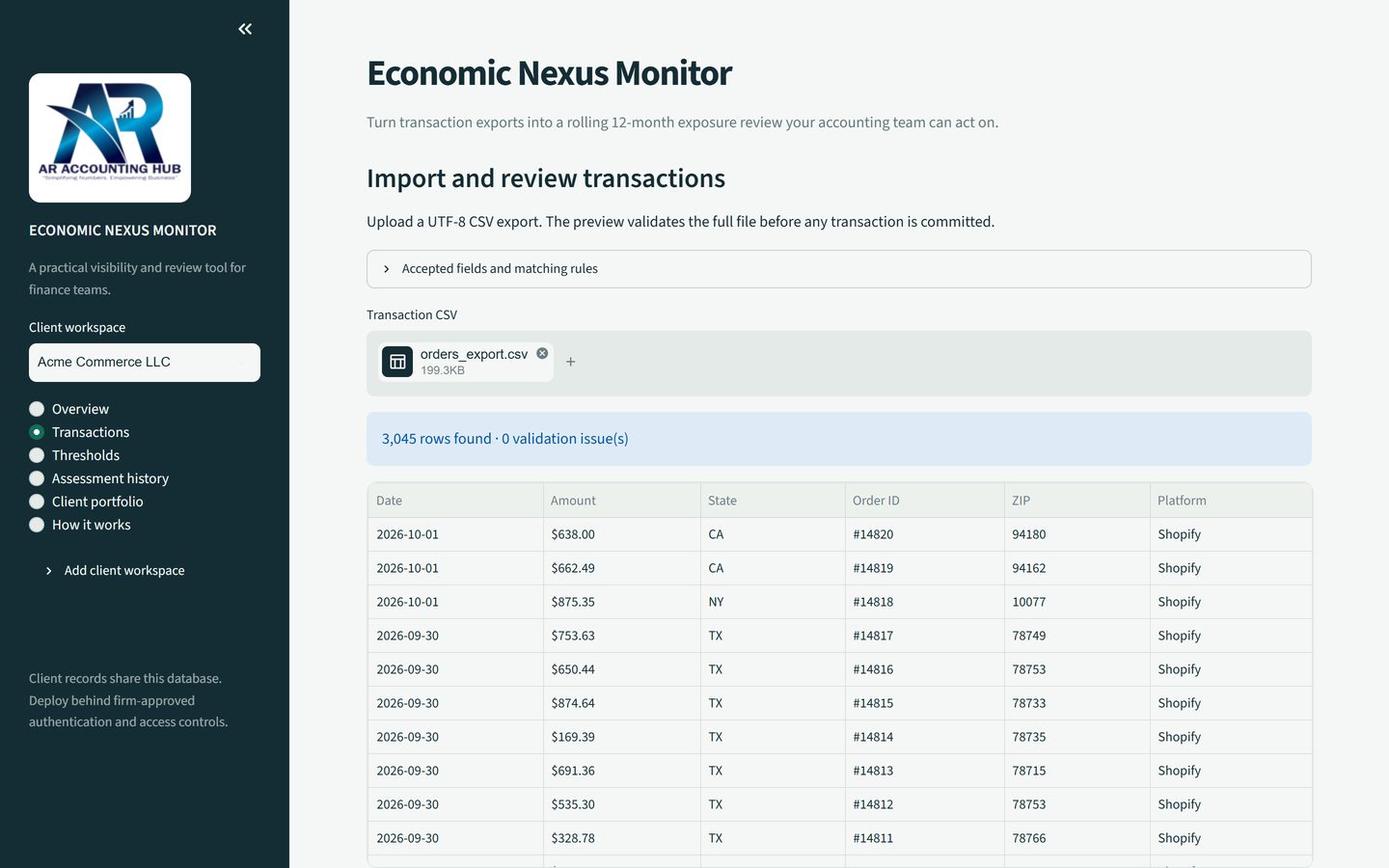
Upload the CSV your store already produces. Nexus Ledger maps common Shopify, Stripe and marketplace columns automatically and previews every row before anything is saved.
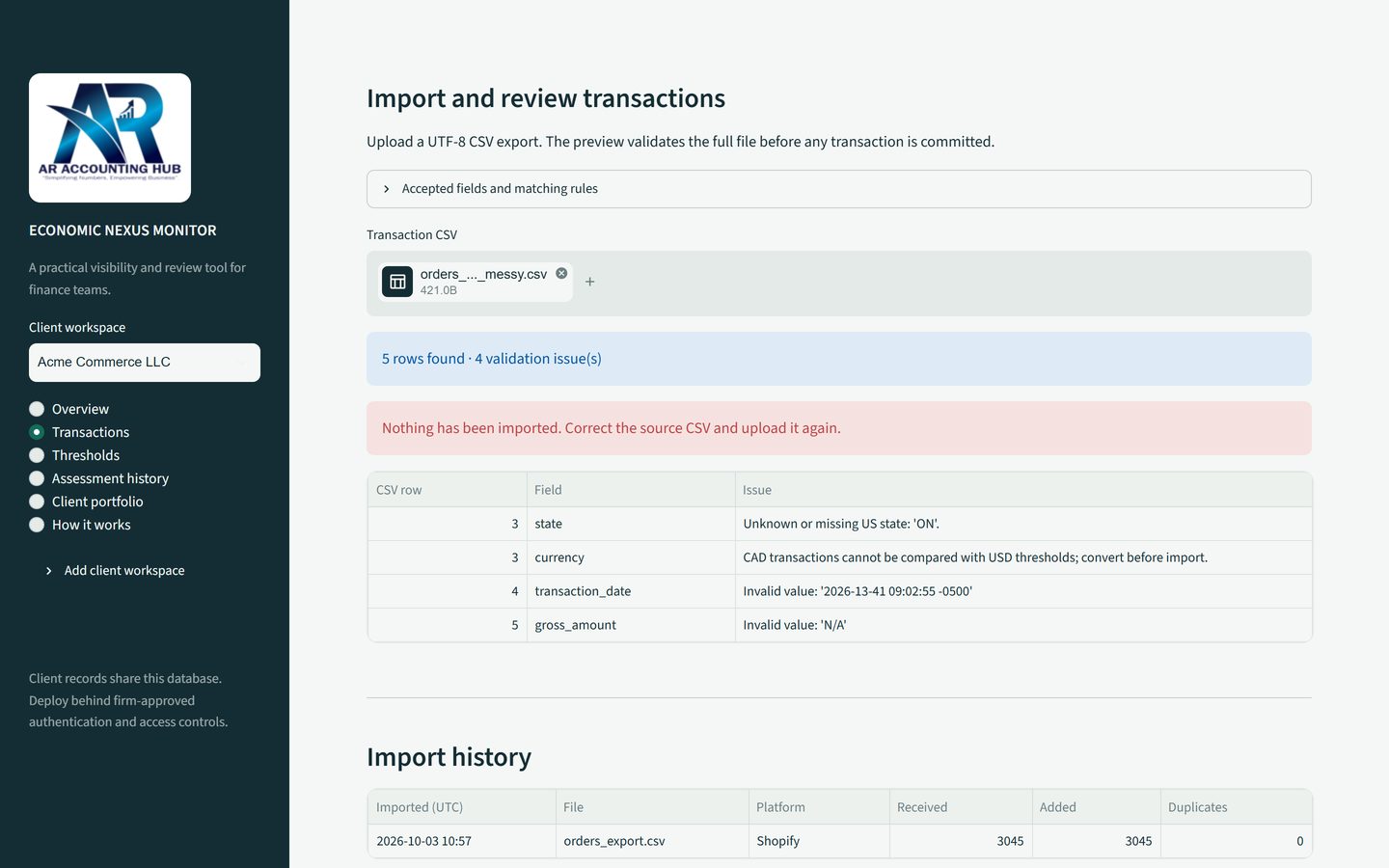
Unknown states, foreign currencies, impossible dates and non-numeric amounts are listed row by row. If any row fails, nothing from the file is imported, so the ledger never holds half a file.
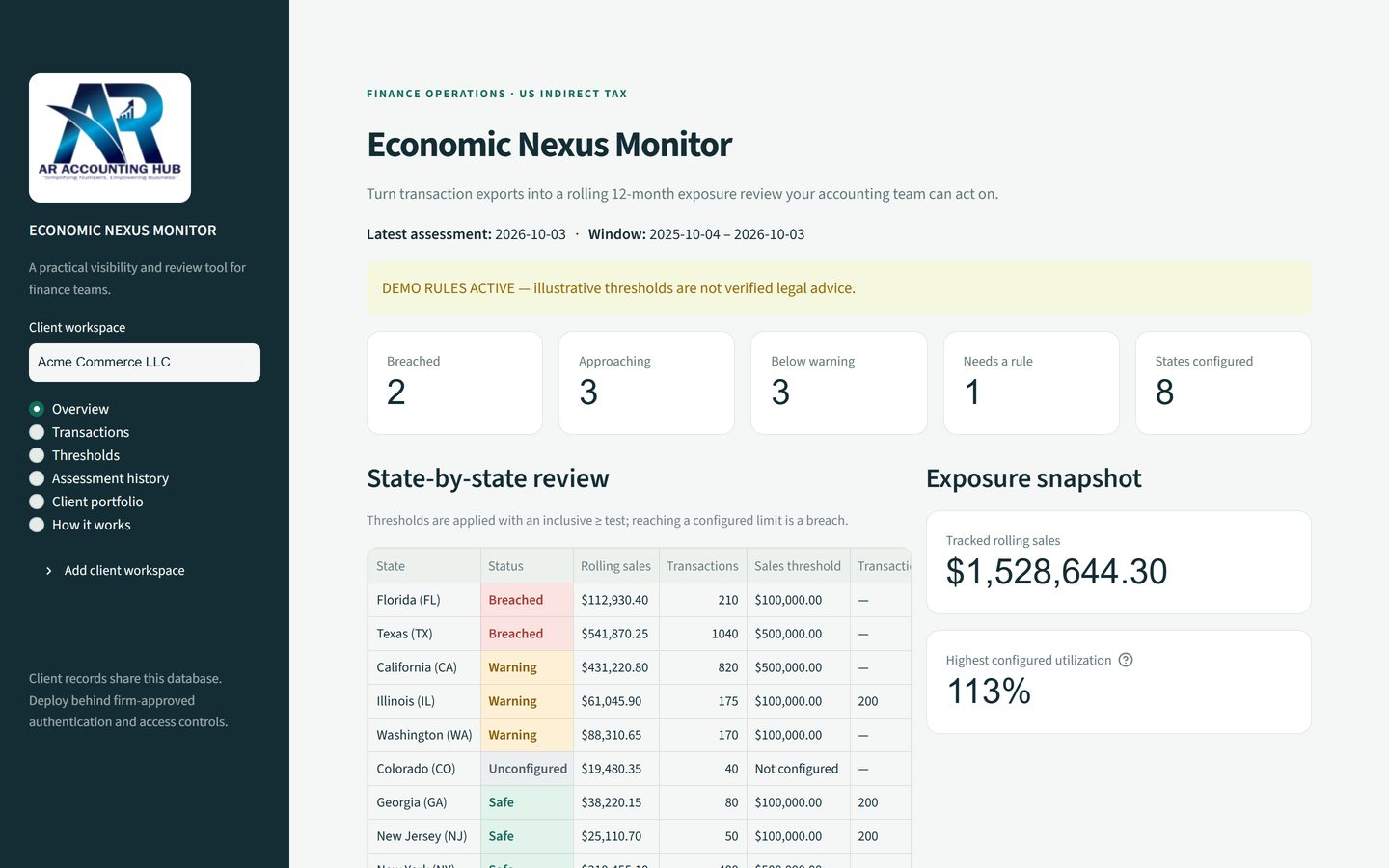
Sales and order counts are totalled per state for the 365 days ending on the assessment date and compared with your reviewed thresholds.
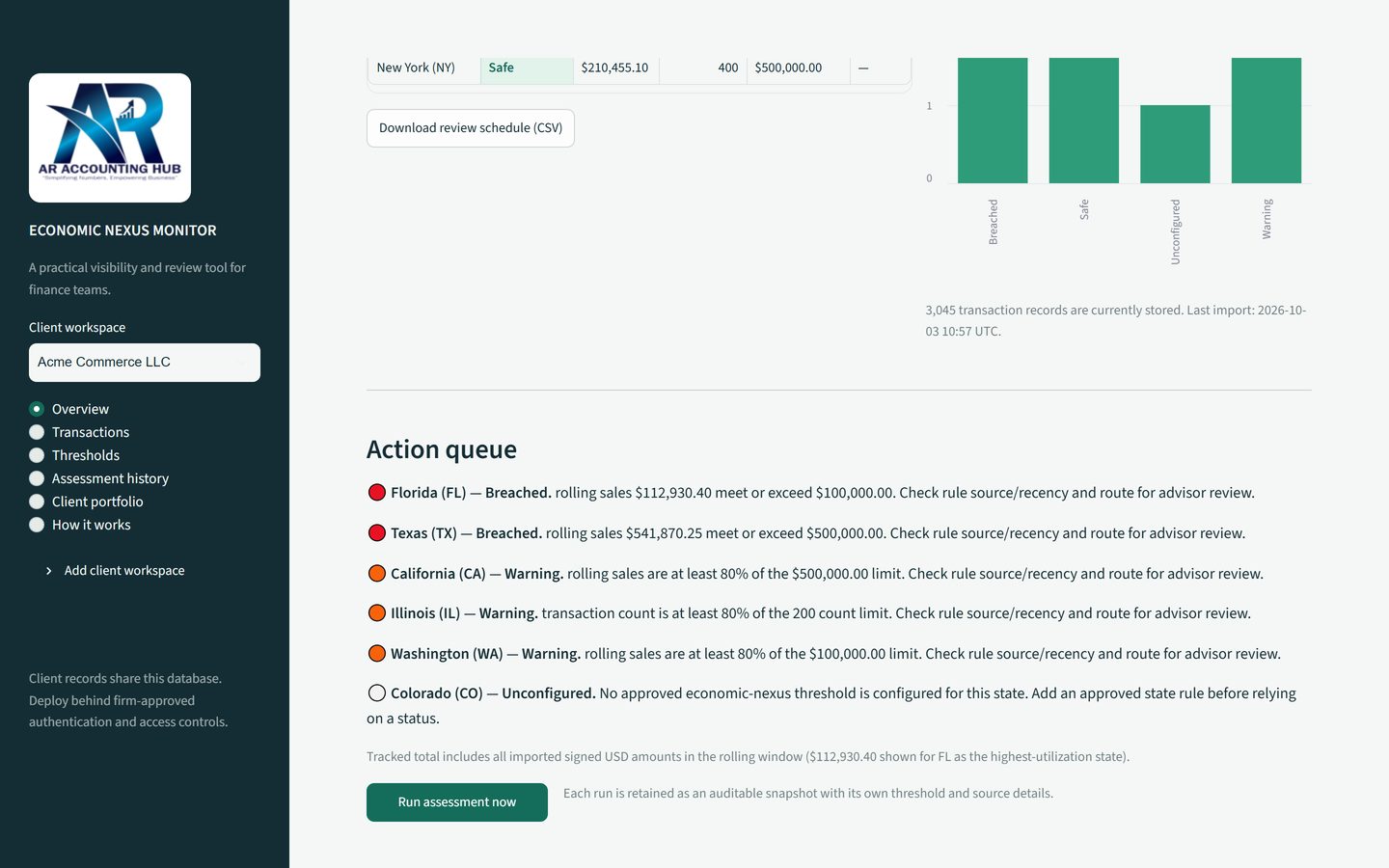
Breached, approaching and unconfigured states are listed with the reason behind each flag. Every run is saved with the figures and rule sources used, and downloads as a CSV workpaper for your advisor.
The tool is designed so an accountant can sign off on what it shows.
Every threshold needs a source and a verification date before it can produce a result.
A state with sales but no reviewed rule is shown as Needs a rule, not Safe.
A file with any invalid row is rejected in full, and re-uploading the same file never double counts.
Each assessment keeps the sales, counts, thresholds and rule sources it used, even after rules change.
Accounting firms keep each client's data, rules and history apart and see a portfolio summary.
A scheduled job can run the assessment every day for every active client.
Shipping to customers across many states from one online store.
Combining store, Stripe and marketplace sales into one view.
Monitoring nexus exposure for a portfolio of e-commerce clients.
Replacing a once-a-year spreadsheet check with a daily review.
No. It is a monitoring and workpaper tool. It shows where your sales and order counts stand against the thresholds your advisor has reviewed, and flags states for review. Registration, taxability and filing decisions stay with you and your SALT advisor.
CSV exports from Shopify, Stripe, marketplaces and other order systems. Common column names such as Name, Created at, Total and Shipping Province are recognized automatically. Amounts must be in USD.
From a rule schedule your team or advisor reviews. Each rule needs a source and a verification date. A state without a reviewed rule is shown as Needs a rule, never as Safe.
Yes. Each client has a separate workspace for transactions, rules and assessment history, and a portfolio view summarizes every client.
You can run an assessment on demand, and a scheduled job can run it every day for every active client.
Send us a sample export and we will walk you through your own state-by-state review.
Book a walkthrough